Mastering Android Broadcast Receivers: The Pentester’s Guide
From “Hello World” to Broadcast Hijacking
In the world of Android security, Broadcast Receivers are often the silent vectors for critical vulnerabilities. They aren’t visual like Activities, which makes them easy to overlook, but they are the glue that holds the Android system events together.
In this guide, we will dissect the architecture of Broadcasts, explore how to attack them (Sending & Sniffing), and dive into advanced exploitation techniques like hijacking Ordered Broadcasts.
1. The Architecture: The Airport Loudspeaker
To understand Broadcasts, you must understand the Pub/Sub (Publish/Subscribe) pattern.
Communication Models
Activities (1-to-1)
Like a phone call. You dial a specific number to talk to a specific person. It’s synchronous and usually involves UI.Broadcasts (1-to-Many)
Like an airport loudspeaker. The system announces “Battery Low” or “Boot Completed”. It doesn’t care who listens. Apps that are subscribed (registered) will wake up and react.
The Two Types of Listeners
Static (Manifest-declared)
Defined inAndroidManifest.xml. These persist even if the app is closed. They are the Always Listening ears.Dynamic (Context-registered)
Defined in Java/Kotlin code usingregisterReceiver(). They only live as long as the app (or Activity) is alive.
2. Attack Vector A: The Uninvited Guest (Sending)
The Scenario
An app has a Receiver that performs a sensitive action (e.g., giving you a flag, transferring money, bypassing a check).
The Vulnerability
If a receiver in AndroidManifest.xml has android:exported="true" and no custom permissions, any app on the device can talk to it.
1
2
3
<receiver
    android:name=".sensitive.FlagReceiver"
    android:exported="true"/>
The Exploit
You don’t need to be the system to trigger this. You can force-feed this receiver an Intent.
Pro Tip:
If the Receiver does not have an<intent-filter>, you cannot call it implicitly (by Action).
You must use an Explicit Intent targeting its class name directly.
1
adb shell am broadcast -n io.target.app/.sensitive.FlagReceiver --es password "secret123"
3. Attack Vector B: Highway Robbery (Sniffing & Hijacking)
The Scenario
An app sends sensitive data (like a token or a flag) via a Broadcast to its own components.
The Vulnerability
The app uses an Implicit Broadcast.
1
new Intent("com.app.FREE_MONEY");
The Exploit
Since the sender shouted into the void, you can register a Receiver in your own malicious app with a matching Intent Filter.
1
2
3
4
5
<receiver android:name=".MyHackerReceiver" android:exported="true">
    <intent-filter android:priority="999">
        <action android:name="com.app.FREE_MONEY" />
    </intent-filter>
</receiver>
Result:
Your app receives the data intended for the legitimate app.
4. Deep Dive: Ordered Broadcasts & MITM
Ordered Broadcasts are delivered one by one, based on android:priority.
The Trap
Developers might:
- Check
isOrderedBroadcast() - Trust the final result
The Exploit
Bypassing the Check
1
adb shell am broadcast -n ... --ordered
Man-In-The-Middle (MITM)
With high priority, you can:
- Steal data via
getStringExtra() - Modify intent contents
- Falsify results using
setResultCode()orsetResultData()
5. Broadcast Security Mind-Map (Diagram)
The following mind-map represents the complete Android Broadcast attack surface from a pentester’s perspective.
flowchart TD
    A[Broadcast Security]

    A --> B[Architecture]
    B --> B1[Pub/Sub Model]
    B --> B2[Static Receivers]
    B --> B3[Dynamic Receivers]

    A --> C[Attacking Receiver]
    C --> C1[exported=true]
    C --> C2[No Permissions]
    C --> C3[Explicit Intent Abuse]
    C --> C4[adb broadcast]

    A --> D[Attacking Sender]
    D --> D1[Implicit Broadcasts]
    D --> D2[Data Sniffing]
    D --> D3[Ordered Broadcast Hijacking]

    D3 --> E[Ordered Broadcasts]
    E --> E1[Priority Abuse]
    E --> E2[MITM]
    E --> E3[setResultCode]
    E --> E4[setResultData]

    A --> F[Mitigation]
    F --> F1[exported=false]
    F --> F2[Signature Permissions]
    F --> F3[setPackage]
    F --> F4[LocalBroadcastManager]
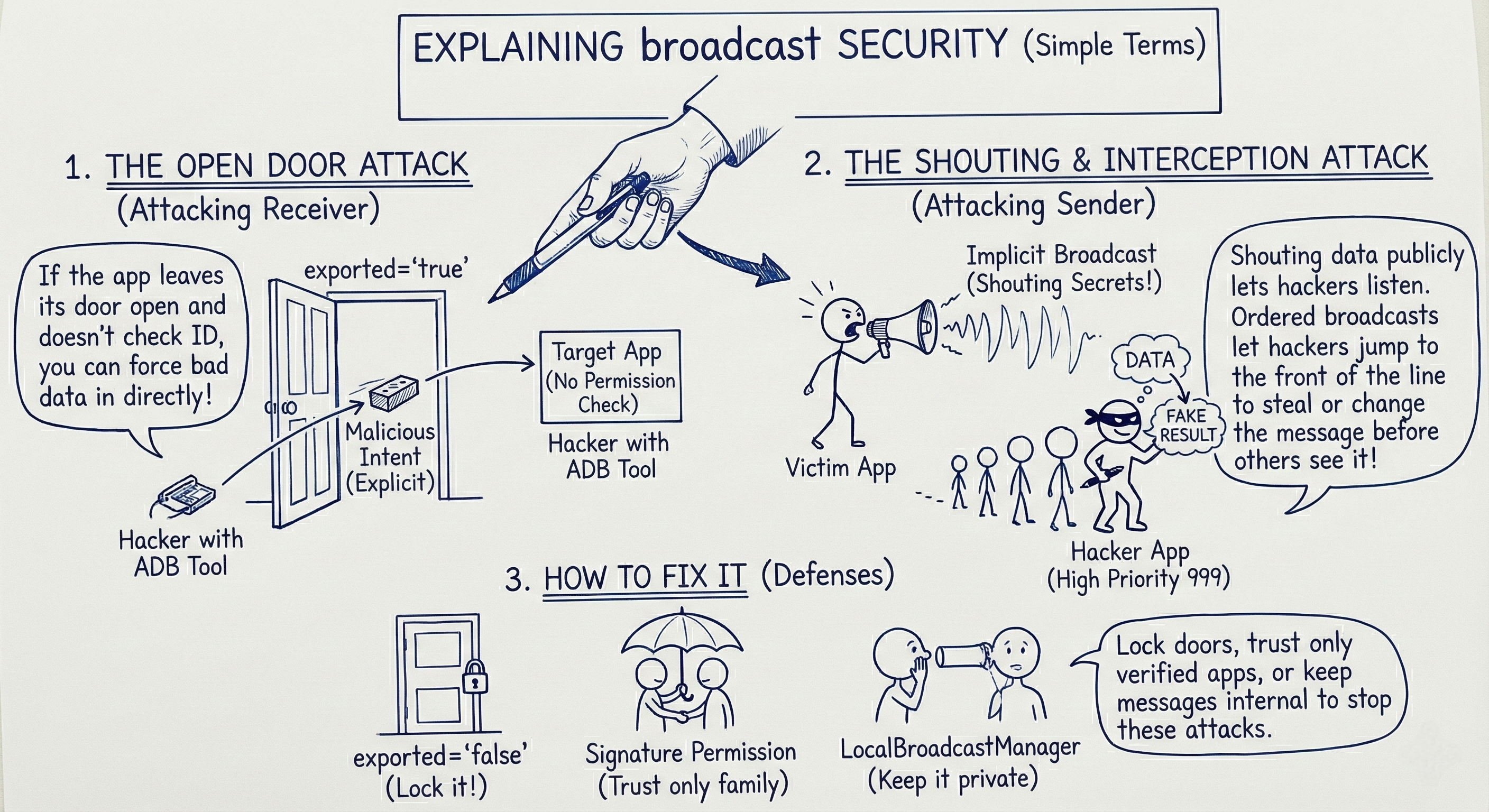
6. Visual Summary (Image)
This image provides a high-level visual summary of Broadcast Receiver attack paths and defenses.
7. Blue Team Corner: Mitigation
How do we fix this?
Close the Door
Always setandroid:exported="false"unless absolutely necessary.Go Local
UseLocalBroadcastManagerfor internal communication.Permissions
Useandroid:permissionwithprotectionLevel="signature".Be Explicit
UsesetPackage()when sending broadcasts.
Happy Hacking!
If this guide helped you think like an attacker, share it with your fellow pentesters and help secure the Android ecosystem.