Android Reversing: Weather Apps & API Discovery
TL;DR
- Obfuscation does not protect client-side secrets
- Backend APIs and keys are often easy to extract
- Effective Android pentesting is about focus, not full code understanding
Context
This note documents a hands-on Android reversing exercise on real-world weather applications.
The goal was not to reverse the entire application, but to answer practical security questions an attacker or pentester would ask immediately:
- What backend API does the app use?
- How does authentication work?
- Why are some features disabled?
This mirrors real Android penetration testing workflows.
Lab Setup
- Android Emulator / Physical Device
adbfor installation and runtime inspectionjadx-guifor static analysis
Target APKs
biz.binarysolutions.weatherusa.apkio.hextree.weatherusa.apk
Pentesting Strategy: Focus on Outcomes
These applications were heavily obfuscated — and that did not matter.
Instead of trying to read obfuscated classes, I used a goal-driven approach:
- Ignore package and class names
- Use jadx Global Search
- Look for high-value strings:
httphttpsapiweatherkey
This is how real assessments are done when time is limited.
API Discovery
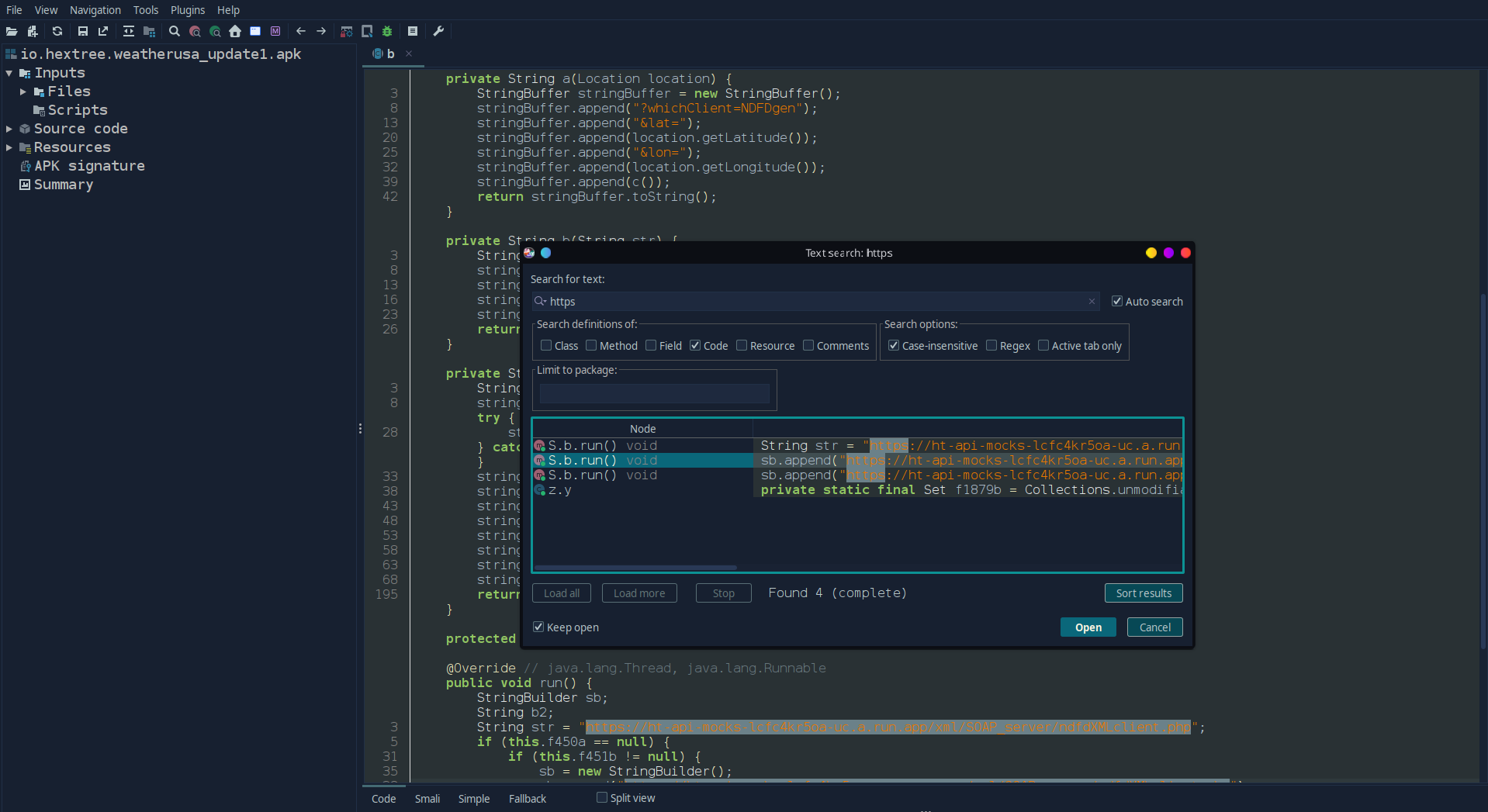
Using jadx’s global search quickly revealed:
- Backend API endpoints in clear text
- Hardcoded URLs
- API keys stored directly in the app
Despite obfuscation, string literals remained visible, which is a common and critical weakness.
Authentication Analysis
Further inspection showed that:
- Authentication relied on a static API key
- The key was stored inside
strings.xml - No dynamic token exchange or server-side enforcement was observed
This is a classic mobile security anti-pattern.
Disabled Features: Client-Side Trust Issues
Some weather functionality appeared disabled in the UI.
Analysis revealed:
- Restrictions were enforced only on the client
- No server-side validation existed
- The logic could be bypassed by:
- Repackaging the APK
- Runtime manipulation
- Direct API calls
This reinforces a core rule:
Client-side logic cannot enforce security.
Manual API Testing
Once the API details were extracted:
- Requests were reconstructed manually
- Tools used:
curl- Burp Suite
- The extracted API key worked without modification
At this point, the mobile app becomes just another API client.
Key Takeaways
- Obfuscation ≠ security
- Secrets inside Android apps are recoverable
- Search by functionality, not structure
- Android pentesting rewards speed and precision
Try This Yourself
If you are learning Android security:
- Pick any APK
- Open it in jadx
- Run a global search for
http - Ask yourself: What does the backend trust?
Android security starts where client trust ends.