Android Intents: From Redirects to Chrome Schemes
Intent Redirects: The Middleman Attack

The “Intent Redirect” vulnerability class occurs when an exported component (Activity, Service, etc.) accepts a nested Intent as an extra and launches it. This allows an attacker to route a malicious Intent through a vulnerable app to reach a non-exported component.
In the Intent Attack Surface app, Flag5Activity demonstrates this. By sending an Intent to Flag5Activity containing a nested Intent targeting the non-exported Flag6Activity, we bypass the export restriction.
Key Concept: startActivityForResult() creates a bidirectional channel. If you exploit a redirect here, you might not just trigger an action but also leak result data back to your malicious app.
Implicit Intents & Data Interception
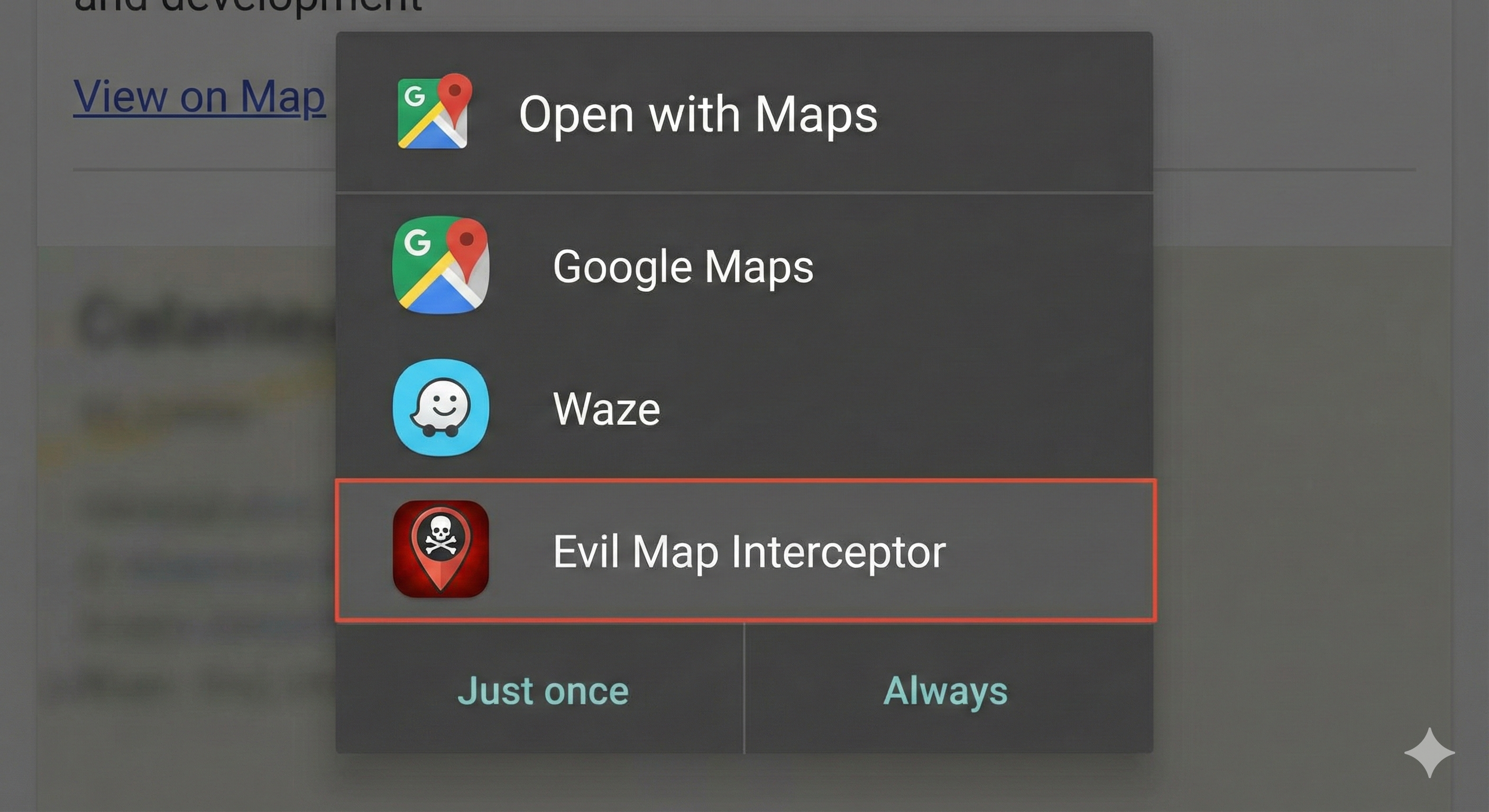
Developers use <intent-filter> tags to handle implicit intents (actions without a specific target app). While useful for functionality like “Share via…”, they pose a risk if used for sensitive data.
If an app broadcasts sensitive information via an implicit Intent, any app on the device can register a matching filter and capture that data. In the Intent Attack Surface app (Flag10Activity), clicking the list entry triggers an implicit intent. By writing a malicious app with a matching filter, we can intercept the broadcast.
Pending Intents: Carrying Privileges
Pending Intents are essentially wrappers around a regular Intent. The critical security difference is that a Pending Intent executes with the identity and permissions of the application that created it, not the one that sends it.
If an attacker captures a Pending Intent from a privileged app, they can execute actions “in the name of” that victim app. This often mitigates standard intent redirects but opens the door to privilege escalation if the base Intent is mutable or poorly scoped.
Deep Links & The Chrome intent:// Scheme
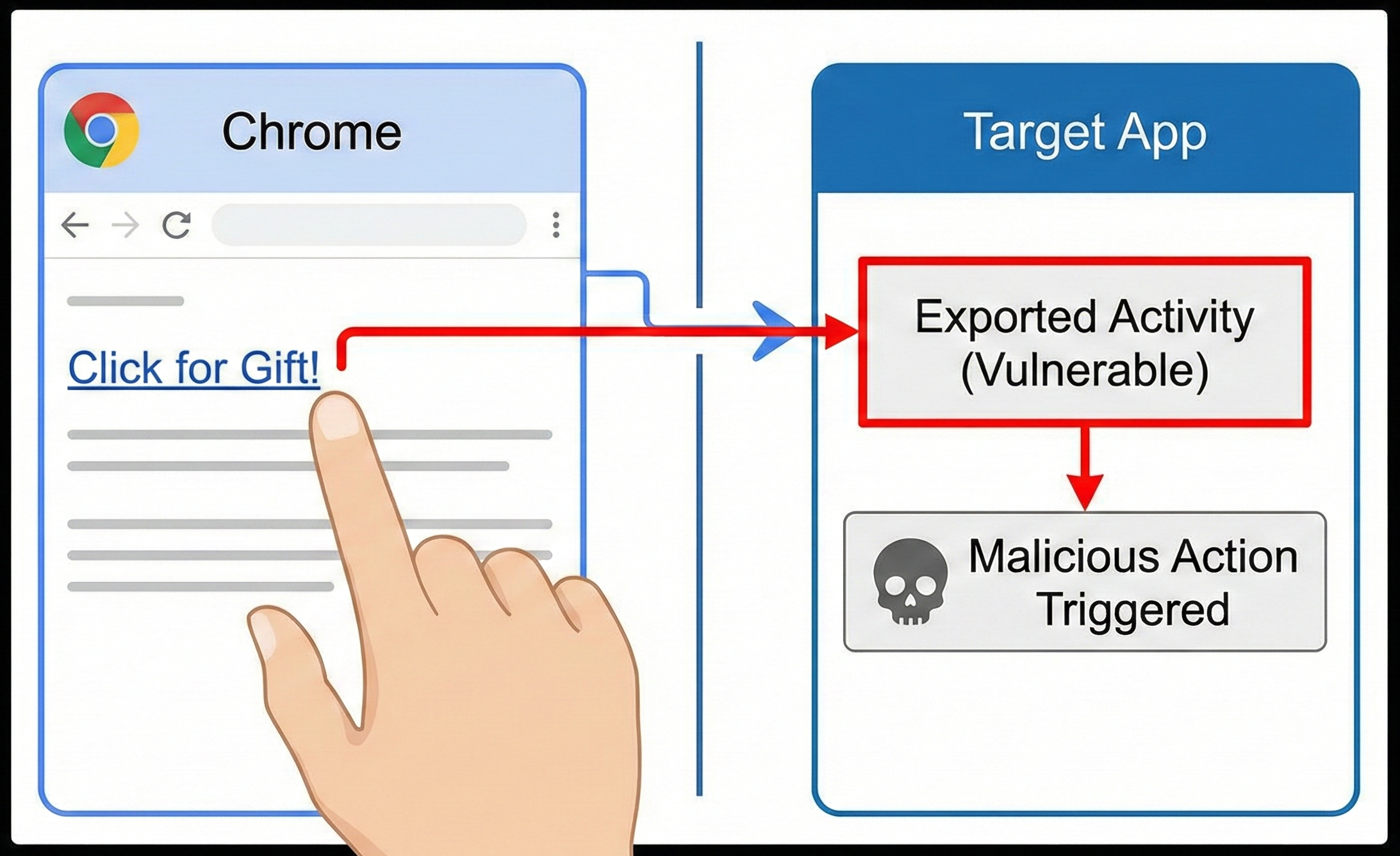
Deep links extend the attack surface from “app-to-app” to “web-to-app”. This is dangerous because it doesn’t require the victim to install a malicious app—visiting a website is enough.
We analyzed Acode, an open-source code editor, to see how real-world apps handle these links. While deep links are standard, Chrome on Android implements the powerful intent:// scheme.
Why intent:// is a game changer for pentesters:
- It is a generic intent builder executable from the browser.
- It allows setting the Action, Category, and Component (package/class).
- It supports adding Extra values (strings, integers, booleans).
This allows us to construct explicit intents directly from a webpage, effectively bridging the gap between a remote web attack and local app exploitation.
Defense: App Links vs. Deep Links

Standard Deep Links are easily hijacked because any app can claim a scheme (e.g., myapp://).
Android App Links solve this via cryptographic verification. The system verifies a JSON file hosted on the domain (/.well-known/assetlinks.json) to confirm the app is authorized to handle those URLs. This prevents the “ambiguation dialog” and stops malicious apps from intercepting the traffic.
🧪 Try This: Intent Scheme Builder
Use the Android Link Builder to construct a Chrome intent payload.
Challenge:
- Target the Intent Attack Surface app.
- Construct a URL using the
intent://scheme.- Set the component to
Flag5Activity.- Add a string extra
reasonwith the valuetesting.- Host the link on a simple HTML page and click it from Chrome on your Android emulator. Does the activity open?