The Gated Warehouse: A Pentester's Guide to Android Content Providers
The Mental Model: What is a Content Provider?
In the world of Android, apps are isolated in their own “Sandboxes.” They aren’t allowed to talk to each other directly or touch each other’s files. So, how does your Email app grab a photo from your Gallery?
The answer is the Content Provider.
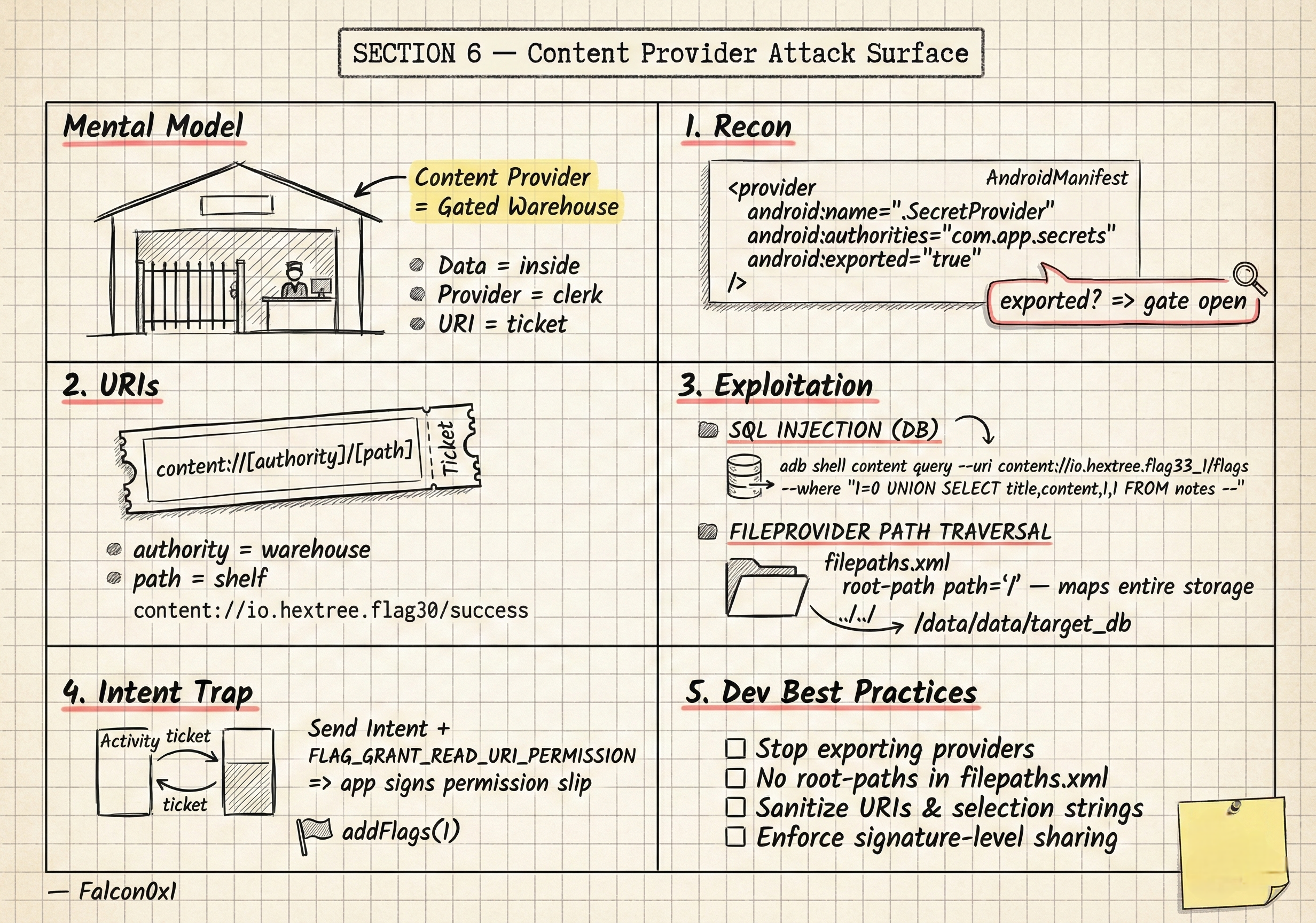
Think of it as a Gated Warehouse.
- The Data is inside the warehouse.
- The Content Provider is the clerk at the gate.
- The URI is the ticket you hand to the clerk to ask for a specific item.
As a pentester, our job is to see if the clerk is lazy, if the gate is left open, or if we can trick the clerk into giving us someone else’s package.
1. Finding the Gate (Recon)
The first step isn’t attacking; it’s mapping. You look at the AndroidManifest.xml. If a provider is Exported, the gate is open to the public.
1
2
3
4
<provider
    android:name=".SecretProvider"
    android:authorities="com.app.secrets"
    android:exported="true" /> ```
If it says exported="false", the gate is locked. But wait—look for grantUriPermissions="true". This means the clerk can be ordered to give you a temporary key if another “trusted” app tells him to.
2. Reading the Tickets (URIs)
To talk to the clerk, you need a ticket called a Content URI. It always looks like this: content://[Authority]/[Path]
- Authority: The name of the warehouse (e.g.,
io.hextree.flag30). - Path: The specific shelf you want to look at (e.g.,
/success).
3. Tricking the Clerk (Exploitation)
Once you have the address, you start testing the clerk’s intelligence.
The “SQL Injection” Trick
Many providers use a database behind the scenes. If the clerk just takes your request and plugs it into a SQL command without checking it, you can perform a SQL Injection.
If you hand the clerk a ticket that says: 1=0 UNION SELECT * FROM private_vault --, he might accidentally walk into the back room and bring you everything.
1
2
3
# Example of a UNION-based leak
adb shell content query --uri content://io.hextree.flag33_1/flags --where "1=0 UNION SELECT title,content,1,1 FROM notes --"
The “FileProvider” Path Traversal
Sometimes the warehouse doesn’t hold data; it holds files. This is the FileProvider.
If the developer is lazy and sets the path to <root-path path="/"/>, they have essentially mapped the entire phone’s storage to that provider.
If you can control the path, you can “traverse” out of the allowed folder using ../ and read sensitive files like databases or shared preferences.
4. Hijacking Permissions (The Intent Trap)
This is the most “Pentester” move. Imagine an app that isn’t exported, but it has a “Helper Activity” that returns a result.
If that activity is coded poorly (like Flag8Activity), it might take an incoming Intent and just send it back to the caller. If we send an Intent with FLAG_GRANT_READ_URI_PERMISSION (addFlags(1)), we are essentially forcing the app to sign a “permission slip” for us to access its private data.
5. Best Practices for Developers (The “How Not to Get Hacked” List)
- Stop Exporting: Keep providers private unless necessary.
- No More Root Paths: Never map the root
/directory in yourfilepaths.xml. - Sanitize Inputs: Treat every URI and Selection string as a potential attack.
- Enforce Signatures: If you must share data, only share it with apps signed by your same key.
6. Summary
Happy Hunting, Falcon0x1