You Don't Start a Mobile Pentest With a Proxy — You Start on Disk
𓂀 Okay so what even is the first move?
Let’s be honest: after a long run of web and API work, the reflex when you pick up a mobile target is to point Burp at the phone and watch the traffic roll in. Install the CA, set the proxy, open the app, go.
Wrong order.
A mobile app is the one client you actually get to hold. On the web you poke a black box from the outside and infer what’s inside. On mobile you have the whole client sitting on disk — its config, its keys, its logic, its trust rules — before you send a single request. Throwing a proxy at it first is like interrogating a witness whose signed confession is already in your pocket, unread.
So the move isn’t “intercept.” The move is read it cold first.
𓅃 Static first — on disk
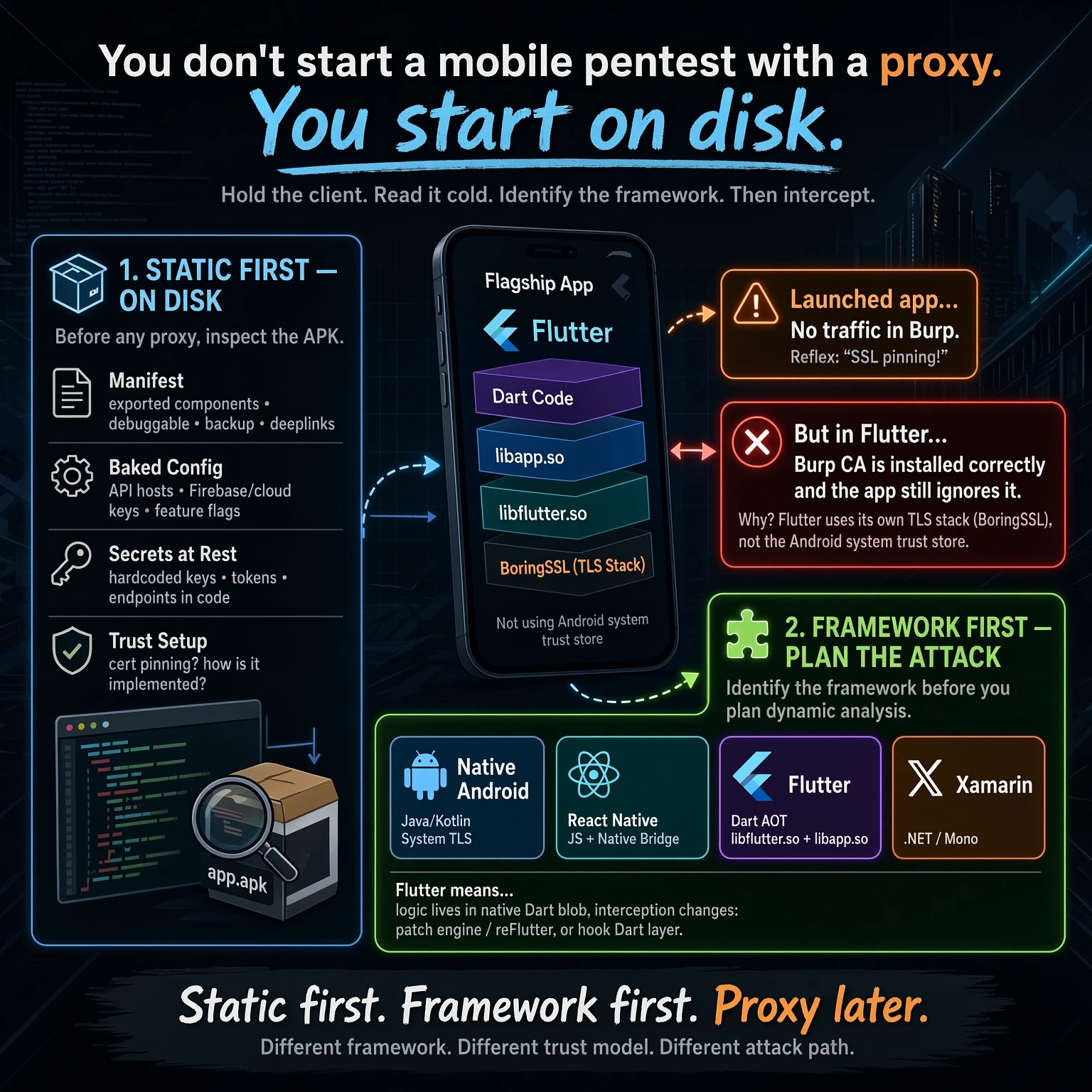
Before any proxy, crack the APK open and inspect it. Four buckets, every time:
- Manifest. Exported components (activities, services, receivers, providers), the
debuggableflag,allowBackup, and every deeplink scheme the app registers. This is your attack surface map and you get it for free. - Baked config. API hosts, cloud/Firebase keys, feature flags, environment switches — anything compiled into the bundle. Apps leak their whole backend topology here, including the staging and dev hosts nobody meant to ship.
- Secrets at rest. Hardcoded keys, tokens, and endpoints sitting in the decompiled code or resources. Not every “secret” is a finding (a Firebase web key is public by design), but you want the full inventory before you judge any of it.
- Trust setup. Is there certificate pinning, and how is it implemented? Network Security Config? An OkHttp
CertificatePinner? A TrustManager? Native code? The how decides your whole dynamic plan — and sometimes there’s a surprise waiting that isn’t pinning at all.
Tools for this half are boring and reliable: apktool and jadx to decompile, aapt/aapt2 to read the manifest, plus grep and patience. No device required. You can do an entire static pass on a flight.
𓂀 The lesson: the proxy that “didn’t work”
Here’s the part worth the post.
I pushed my CA into the trust store the right way, set the proxy, launched the flagship app — and saw nothing. Not an error. Not a TLS handshake failure. Just… no traffic through Burp at all, while the app worked perfectly on the phone.
The reflex, the one every tester has, is to shout “SSL pinning!” and reach straight for a bypass script.
It wasn’t pinning.
The app was built in Flutter — and Flutter doesn’t use the Android system trust store. It ships its own TLS stack (BoringSSL) compiled into the engine, and that stack validates against a certificate bundle baked into the app, not the one you so carefully installed on the device. Your Burp CA is installed correctly. The app will simply never look at it.
That’s a completely different problem with a completely different fix. You’re not “bypassing a pin” — you’re dealing with an engine that doesn’t consult the OS at all. And the app’s actual logic? It isn’t in the smali you were reading. In a Flutter release build, the Dart code is AOT-compiled into a native blob (libapp.so), running on the Flutter engine (libflutter.so). The Java/Kotlin layer is a thin shell.
So the real approaches become:
- Patch the engine / reFlutter — repackage the app so its TLS trusts your proxy (or disables verification), then intercept normally.
- Hook the Dart/native layer with Frida — reach into
libapp.so/ the engine’s TLS functions at runtime. - Recover the Dart semantics (Blutter and friends) when you need to understand the compiled logic, because jadx won’t show it to you.
Two hours of “why is my proxy broken” collapses into five minutes the moment you check one thing in the manifest and lib folder up front: what framework is this?
𓅃 Framework first — then plan the attack
This is the generalizable rule. Identify the framework before you design the dynamic phase, because each one changes where the logic lives, where the secrets live, and what “no traffic” even means:
| Framework | Tell-tale in the APK | What it means for you |
|---|---|---|
| Native Android | Java/Kotlin in classes.dex, system TLS | jadx reads the logic; standard CA + pinning-bypass flow |
| React Native | index.android.bundle (JS), a native bridge | Logic is in the JS bundle; beautify it, hook the bridge |
| Flutter | libflutter.so + libapp.so, Dart AOT | Own BoringSSL (CA is irrelevant); patch engine / reFlutter / hook native |
| Xamarin | .NET/Mono assemblies in assets | Decompile the DLLs; Mono-specific interception |
“No traffic in the proxy” means four different things across those four rows. Only one of them is pinning.
𓂀 The takeaway
Static first. Framework first. Proxy later.
Read the client you were handed before you try to talk to it. Then look at what it’s built with before you plan how to intercept it. Different framework, different trust model, different attack path — and the thirty seconds it takes to check saves you from burning an afternoon bypassing a “pin” that was never there.
The proxy comes last. It’s the easy part, once you know what you’re pointing it at.